
Help me make a decision
For shopping, comparison, planning and daily choices, Butler clarifies the budget and boundaries before narrowing the options with information it can verify.
Delivery: up to 3 choices, reasons, risks and buyable paths
Enter by the real job, while every product keeps its own character.
Funao Butler · Hand it over. I will keep it moving.
Say what you need. Butler breaks it down, moves it forward, asks when your decision is required, then returns the result, evidence and next step.
Android early access is currently requested by email. Official store links will replace this entry when available.
Work trail
A useful butler knows where the work stands, what is missing and when only you can decide. The process stays visible, understandable and stoppable.
Restate the goal, people, budget and hard boundaries.
Turn the process into visible progress instead of leaving you with “processing”.
Ask again before payment, sending, authorization, deletion or another critical action.
Return the result, evidence, unfinished items and next step—or explain why the work stopped.
Start with three kinds of work
No feature names to memorize. Describe the situation and Butler decides what to ask, what to verify and when it must stop for your confirmation.
For shopping, comparison, planning and daily choices, Butler clarifies the budget and boundaries before narrowing the options with information it can verify.
Delivery: up to 3 choices, reasons, risks and buyable paths
For a minor collision, unclear rule or important document, Butler points to the most important step now and continues from your reply. Official and professional channels come first for safety, medical, legal or investment matters.
Delivery: current step, missing information and later confirmation points
Reminders, call summaries and family guarding must state their scope. Guarding begins only after both people understand and agree, and it can be paused or ended.
Delivery: agreed scope, current status and a clear stop control
Current app interface
Hand over the work in chat, clarify critical details in a call, and require mutual consent before ongoing guarding. Current capabilities and permissions are stated inside the app.
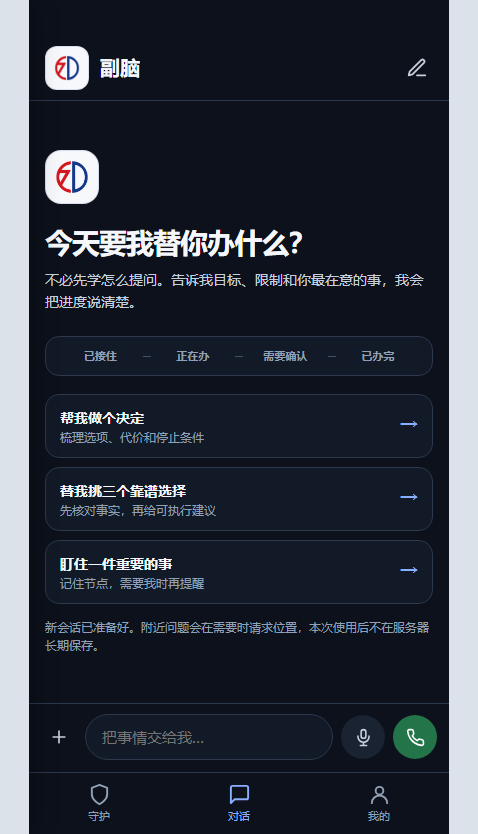
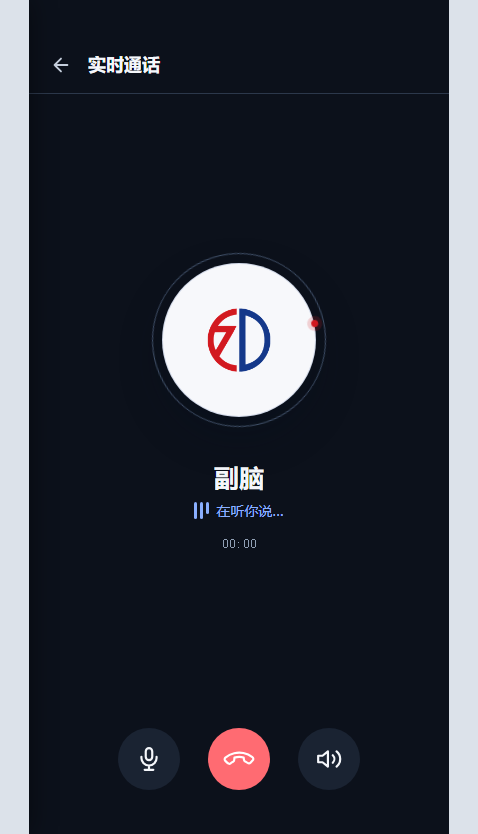
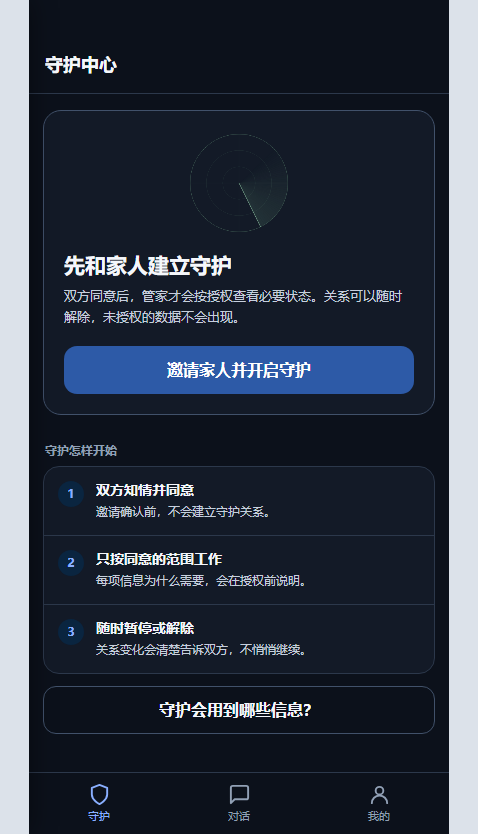
Boundaries and judgment
Results include evidence, sources or generation notes. Unverifiable material is labeled as advice or preview.
Payment, publishing, sending, authorization and deletion remain your decision at the final step.
Information is requested only when the current feature needs it, with its purpose and off switch explained.
If information is weak, no option qualifies or a capability is not open, Butler does not invent a result.
Get started
Android early access is currently requested by email. The button opens your email app with the subject filled in; you still confirm the final send.